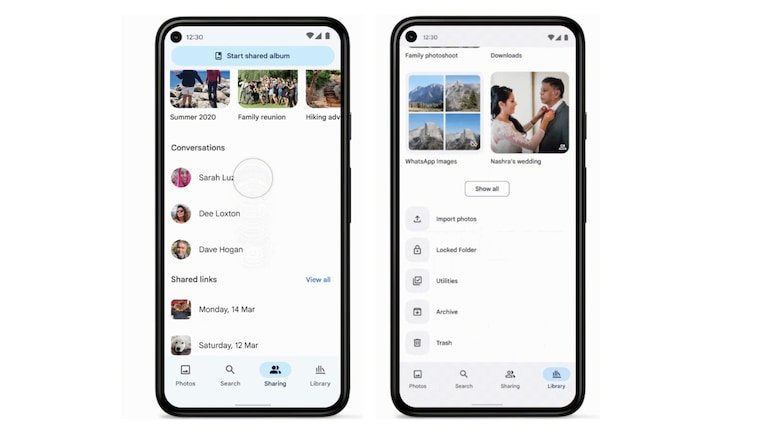
Google is introducing improvements to its Photos app to make it easier to locate some of your photos. Google said in a blog post that it is revamping the Library tab, introducing a new shortcut for screenshots and, in the coming days, a carousel of contextual suggestions for some photographs. Everything you need to know about the new features coming to the Google Photos app is right here.
The search giant has revealed that the Photos app will get a new “import photos area” alongside Locked Folder, utilities, archive, and trash to make it easier for users to copy photos from outside the app.
The Sharing Tab in the Google Photos app has also been redesigned, and users will soon see specific areas for shared albums, partner sharing, and chats, making it easier to access them. According to the firm, this small design makeover will be available on Android this week, and the iOS version of the app will follow suit in the near future. Google hasn’t specified when the service will be available.
“With more defined sections, it’s easier to find, view and manage your shared photos and videos, and stay up to date so you never miss the latest snap.
Google Photos will also add a new shortcut that will help users find recent screenshots. Once the app is updated, one will start finding all the recent screenshots on the top of the main photo grid. Google says you don’t need to back up the screenshots folder to the Photos app and it will still show you the recent ones, so you can access them quickly.
In a blog post, Google also mentioned that when viewing a screenshot, the Google Photos app will give a carousel of relevant ideas to assist you copy, text, crop, search using Google Lens, and more.